
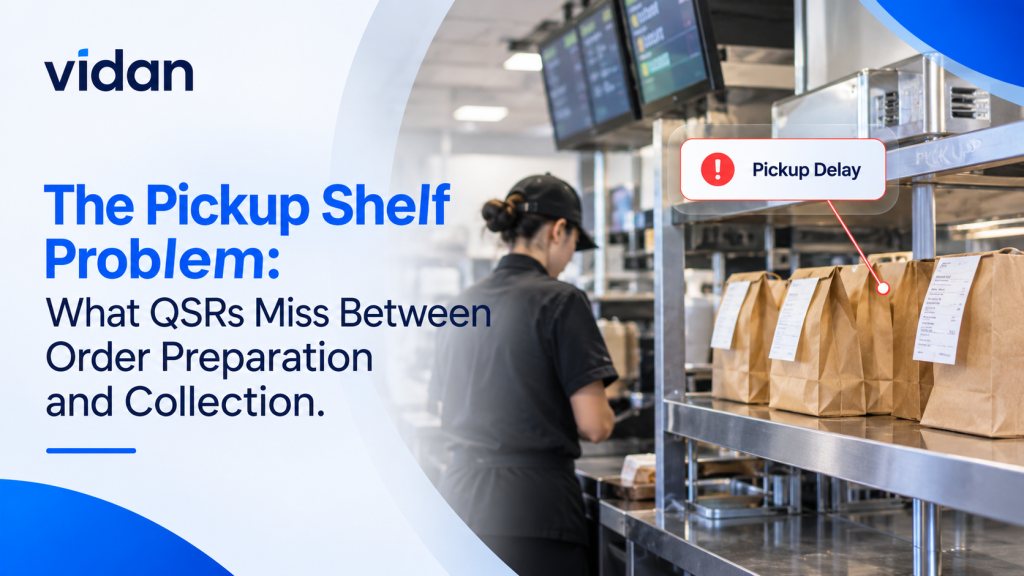
One in five mobile orders misses its promised time, per Intouch Insight research reported by QSR Magazine. Many of those orders are already made. They are stuck between the bag and the guest.
QSR video analytics closes that gap. It reads camera footage at the shelf, the counter, and the handoff point. Your POS says an order is complete. Video shows whether anyone actually collected it.
This guide shows where orders stall after preparation and what the delay costs. It also shows how to measure it.
Quick answer: What do QSRs miss between order preparation and collection? They miss the wait. Once food is packed, nobody measures how long it sits. Nobody checks who takes it or whether it is the right order. POS data stops at “ready.” Camera analytics can time the shelf, count the crowd, and confirm each handoff.
Key Takeaways
- The pickup shelf is the least measured stage of the QSR order journey.
- Late mobile orders raised in-store time from 2 minutes 51 seconds to 7 minutes 10 seconds.
- Only 65% of mobile orders had a designated pickup area in the same research.
- Cameras can time every bag on the shelf and flag trouble live.
- Use the data to fix flow and coach teams, not to punish staff.
Where Do Orders Stall After the Kitchen Finishes?
The pickup shelf problem is the gap between “order ready” and “order in hand.” Your kitchen display cannot see that gap. Neither can your POS.
Stage 1: Packed But Not Staged
A finished bag lands on a pass or prep table. Nobody moves it to the shelf. The guest walks in and sees an empty shelf. Order collection delays begin here, before anyone knows a problem exists. The ticket says complete, so no alert ever fires.
Stage 2: Staged But Buried
Mobile, delivery, and walk-in bags share one small surface. Pickup shelf congestion hides orders behind other orders. Guests dig through bags while drivers wait beside them. Staff stop cooking to play search party.
Stage 3: Claimed By The Wrong Guest
Similar names and a rush cause order handoff errors. The right guest then finds nothing. Staff remakes the meal, and the cost doubles. The guest who took the wrong bag may call back, too.
Our guide to service bottlenecks in a busy QSR covers the front half of this journey.
Why Do Most QSRs Overlook the Pickup Shelf?
Four assumptions keep the shelf invisible.
Myth: The kitchen display tells us when orders are done.
Reality: It tells you when cooking ends. Collection is a separate clock.
Myth: Staff will notice a stuck bag.
Reality: During a rush, crews watch tickets and windows. Few eyes stay on the shelf.
Myth: Delivery apps own the pickup problem.
Reality: Drivers waiting inside your store crowd your guests. Late bags also hurt your own reviews.
Myth: More cameras mean more visibility.
Reality: Footage nobody reviews is a record. It is not a signal.
POS reports show what was entered. Video shows what happened, as we explain why restaurant loss prevention needs more than POS reports.
How Does QSR Video Analytics Follow an Order From Shelf to Guest?
We use a four-step check called the PICK framework. Each step turns a camera view into a number.
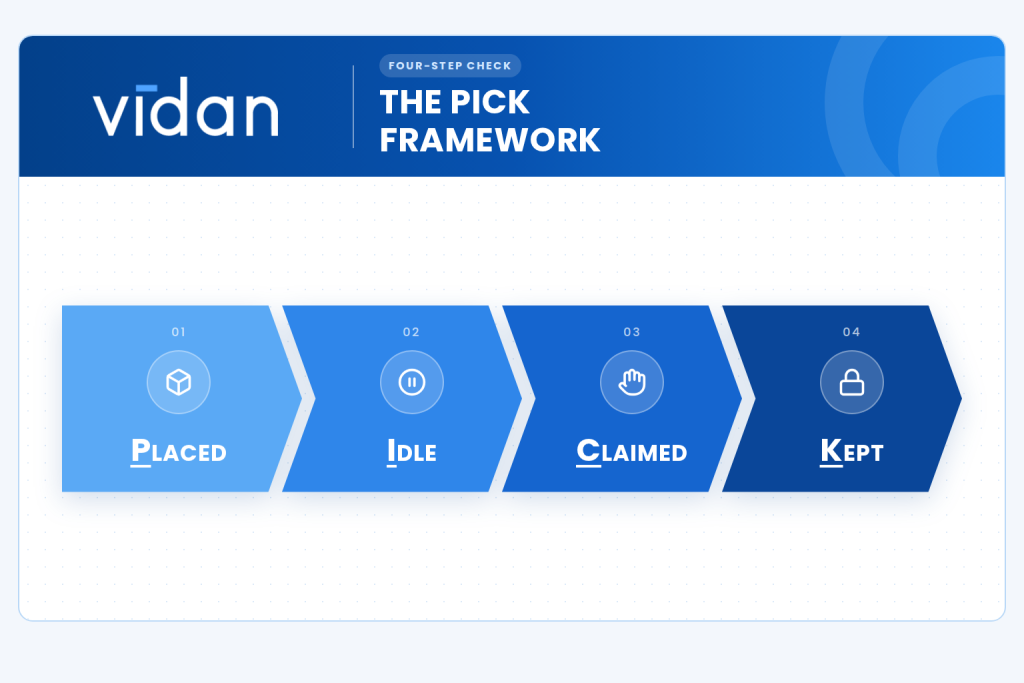
- Placed: The system logs the moment a bag lands on the shelf. This starts the clock.
- Idle: It tracks dwell time for each bag. An alert fires when a bag passes your limit.
- Claimed: It records when someone takes the bag and which zone they used.
- Kept: It confirms the bag left the shelf and flags bags still waiting at closing.
Add order handoff monitoring, and you also see who left with each bag.
Patterns matter more than single delays. Idle time clustered in one hour usually points to layout or staffing, not cooking speed. Over weeks, customer pickup behavior shows where guests hesitate or search.
QSR video analytics works best when it starts at the pass and ends at the door.
Which Pickup Metrics Should QSRs Track?
Shelf dwell time
Minutes from placement to claim. This is the core number. Track the average and the slowest tenth.
Orders over the hold limit
The share of bags that wait too long. Set the limit by menu item.
Handoff accuracy
The share of bags that reach the right person on the first try. Name checks raise it.
Shelf load
The count of bags waiting at one time. Spikes show when to add a runner.
Fast Food Deserves Fast Visibility
Counter, shelf, drive-thru, and curb. Vidan AI watches every handoff point in your QSR and alerts your team in real time.
What Does a Rush Look Like at the Pickup Counter?
- The lunch surge: Twelve mobile orders land in ten minutes. Bags stack two deep. Pickup counter activity spikes, and the shelf blurs. An alert at six waiting bags sends a runner over.
- The driver pile-up: Three delivery drivers arrive together. Without a queue, they crowd walk-in guests. Restaurant order pickup monitoring shows how long each driver waited.
- The abandoned bag: A guest never shows. The bag sits past your hold limit. Unclaimed food orders trigger a clip and a prompt to remake or discard.
- The closing check: Bags left at close are lost margin. A closing alert lists every bag still waiting, so the last manager acts before locking up.
How Do Order Channels Change the Shelf?
Mobile order ahead
Guests arrive on a timer. A late bag costs the most here.
Delivery drivers
Drivers want speed and rarely wait politely. Give them a separate zone and a separate clock.
Walk-in and kiosk orders
These guests expect a name call or a number. Mixed bags cause the most mix-ups.
Drive-thru and curbside
Runners carry bags outside. Cameras at the door confirm each bag left the building.
Does Shelf Time Hurt Food Safety and Quality?
Yes, it can. USDA defines the danger zone as 40°F to 140°F. Perishable food should not sit out more than two hours, per USDA FSIS.
Most QSR bags wait minutes, not hours. Quality drops first. Fries soften, ice melts, and sauces separate. Fast food order retrieval decides whether the guest eats it hot. Guests judge the meal and the wait together. A cold bag after a long search feels like a failed visit, even when the food was perfect.
What to track:
- Shelf dwell time per order
- Share of orders over your hold limit
- Shelf load during peak hours
QSR order collection tracking gives managers a timestamp for every bag. QSR video analytics turns those timestamps into a daily report.
How Vidan AI Watches the Handoff
What we do: Vidan AI adds event detection to compatible CCTV systems. You keep the cameras you own.
What we detect:
- Bags placed on and taken from the shelf
- Dwell time past your limit
- Crowding at the counter
- Bags left behind at closing
What you get: Our restaurant CCTV analytics sends real-time alerts to managers. Each alert links to a short clip, so no one scrubs hours of footage. Weekly summaries show dwell time by hour and by store.
What it means for you: QSR pickup shelf monitoring across every location, on one dashboard. Compare stores, find weak hours, and fix them.
How we set it up: We review your camera views first. Then we map the pass, the shelf, and the door as zones. Your team sets the hold limits and alert rules.
Where humans stay in charge: Vidan AI watches. Your managers decide. The goal is faster service, not a stricter boss.
What Can Vidan AI Detect Around the Pickup Counter?
Order staging events
We detect when a bag is placed on the shelf and when it is taken. Each event gets a timestamp.
Crowd and queue buildup
We flag crowding at the counter, so managers can act before guests start to stack up.
Left behind items
We list bags still waiting past your hold limit or after closing.
Zone activity
We watch the shelf, the counter, and the door as separate zones. Each zone gets its own alert rules.
How Does Vidan AI Fit Into Your Existing CCTV Setup?
Camera review
We check angle, lighting, and resolution first. Weak views get a simple fix, such as a small camera move.
No rip and replace
Vidan AI adds event detection to compatible CCTV systems. Your recorder and cameras stay in place.
Alert routing
Alerts go to the managers you choose. Each one links to a short clip.
Clip review
Teams open the clip, see what happened, and decide the next step. Nobody scrubs hours of footage.
Who Gets Value From Pickup Visibility?
- Store managers get a live view of shelf load. They send a runner before a queue forms.
- Area managers compare stores on the same dwell time scale. One weak location stops hiding inside a regional average.
- Franchise owners get proof of what happened at the counter. Disputes about missing or wrong orders end faster with a clip.
- Operations leaders see which layouts, shifts, and menu items slow collection. Those facts guide the next redesign.
What Should Teams Do When a Pickup Alert Fires?
Within 60 seconds
Send a runner. Move the bag to the right zone. Confirm the name.
By end of shift
Review the clips behind each alert. Note the cause, such as missing staff or a mislabeled bag.
By end of week
Compare dwell time by hour. Pick one fix and assign an owner.
See the Whole Floor, Not Just the Footage
From kitchen to counter, Vidan AI adds event detection to compatible cameras. Your managers act in the moment, not the next morning.
How Can You Start Measuring the Pickup Shelf This Month?
Week 1: Walk the shelf. Give each channel its own labeled spot.
Week 2: Set a hold limit by menu item. Pick the cameras that cover the pass and shelf.
Week 3: Review idle clips by hour. Find your two worst hours.
Week 4: Change one thing, such as adding a runner. Measure again, then compare the two weeks.
In Conclusion
Hot food loses its edge on a crowded shelf. The kitchen cannot fix what it cannot see.
QSR video analytics gives every bag a start time, an end time, and an owner. Vidan AI delivers that on the cameras you already run. Start with one store and one shelf. The numbers will make the case for the rest.
Stop guessing what happens after “ready.” Book a Vidan AI demo and see your own pickup shelf in numbers.