
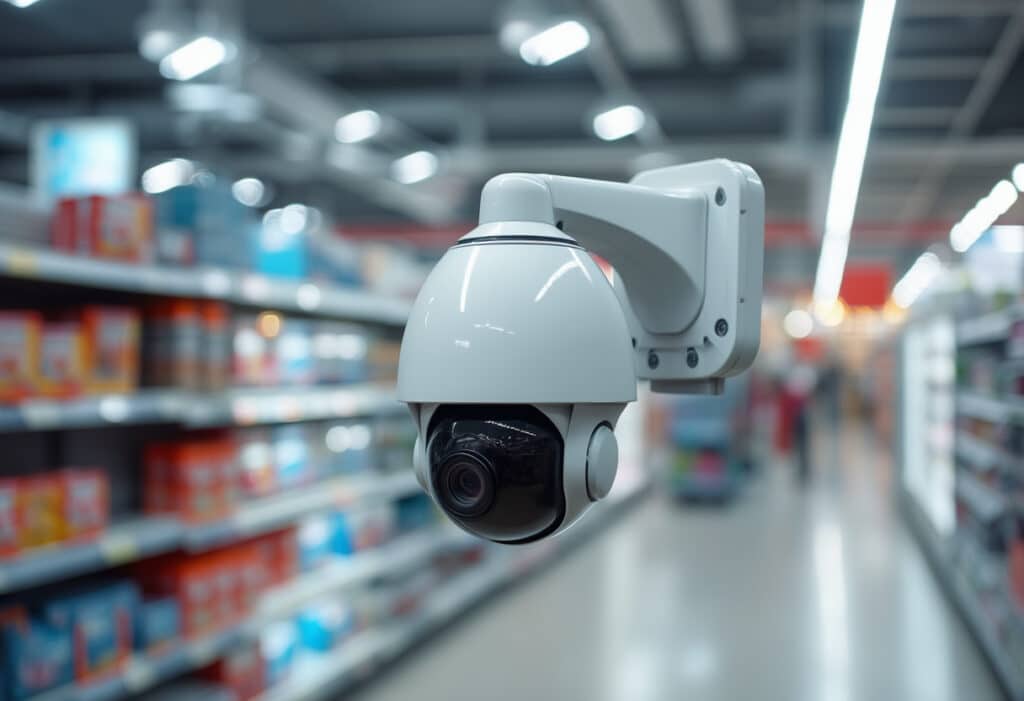
Picture this: You’re standing in front of your home at 2 AM, watching footage of a package thief who struck just hours earlier. Thanks to your security camera, you’ve got crystal-clear evidence, and the police are already on the case. This is the power of modern surveillance technology, but it all started with a simple concept called CCTV.
Whether you’re a homeowner looking to protect your property, a business owner securing your storefront, or simply curious about the cameras you see everywhere, understanding CCTV is more important than ever. In this complete guide, We’ll break down everything you need to know about security cameras in this ‘CCTV explained’ guide – from basic definitions to cutting-edge technology.
What is CCTV & What Does CCTV Actually Mean?
CCTV stands for Closed-Circuit Television, and despite the technical-sounding name, the concept is surprisingly straightforward. Let’s start with the basics. CCTV, what does it mean?

Breaking Down the Term
Closed-Circuit: Unlike broadcast television that sends signals to anyone with a TV, a close circuit camera transmits video signals to a specific, limited set of monitors or recording devices. Think of it like a private conversation versus shouting in a crowded room.
Television: This refers to the visual transmission technology used to capture and display video footage.
In simple terms, what is CCTV camera technology? It’s a video surveillance system where cameras feed footage to dedicated monitors or recording devices through a closed network. No one outside this network can access the feed, hence the “closed circuit” designation.
The Evolution Story: From Big Brother to Smart Guardian
Timeline of CCTV Development:
- 1942 → German engineers create the first CCTV system to monitor V-2 rocket launches
- 1949 → First commercial CCTV system launched in the United States
- 1960s → Banks and government buildings adopt CCTV for security
- 1980s → VCR technology makes recording and playback affordable
- 1990s → Digital video recording revolutionizes storage capacity
- 2000s → IP cameras enable network-based surveillance
- 2010s-Present → AI-powered analytics and cloud storage transform the industry
What started as bulky, expensive equipment available only to governments and large corporations has evolved into affordable, smart technology accessible to everyone. That tiny, small closed circuit camera in your doorbell? It has more computing power than entire CCTV systems from just two decades ago.
Types of CCTV Cameras (And Which One You Actually Need)
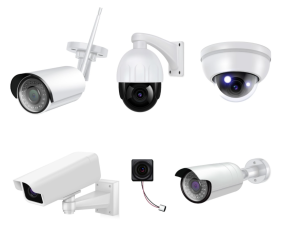
Not all security cameras are created equal. Here’s your matchmaking guide:
Dome Cameras
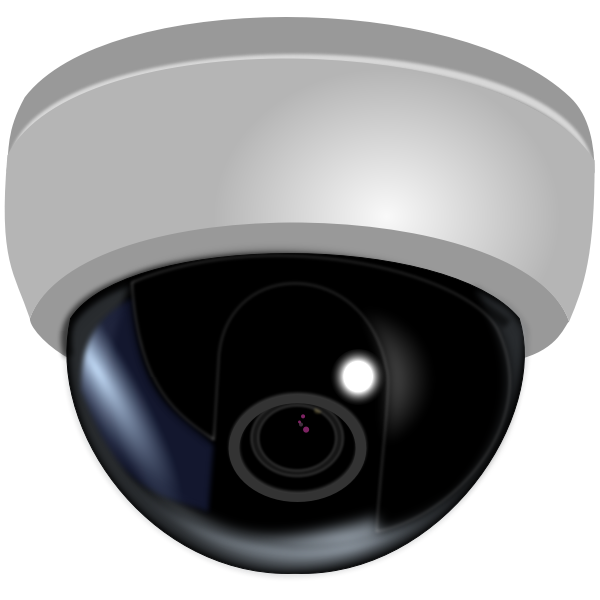
The Discreet Protectors
Dome cameras hide behind a tinted dome cover, making it difficult to tell which direction they’re facing. They’re vandal-resistant and perfect for retail stores, hotels, and indoor surveillance. The psychological effect? People behave better when they can’t tell if they’re being watched.
Bullet Cameras
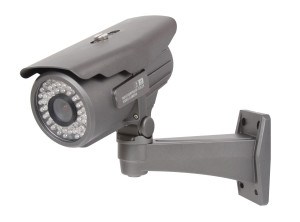
The Obvious Deterrents
Long, cylindrical, and impossible to miss; bullet cameras make a statement. They’re weatherproof, ideal for outdoor use, and their visible presence alone can deter potential criminals. Great for parking lots, building perimeters, and anywhere you want security to be noticed.
PTZ Cameras (Pan-Tilt-Zoom)
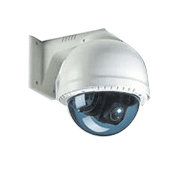
The Active Watchers
These cameras can rotate 360 degrees, tilt up and down, and zoom in on specific areas. They’re perfect for large spaces like warehouses, stadiums, or campuses where one camera needs to cover multiple zones. Some models can even track movement automatically.
IP Cameras
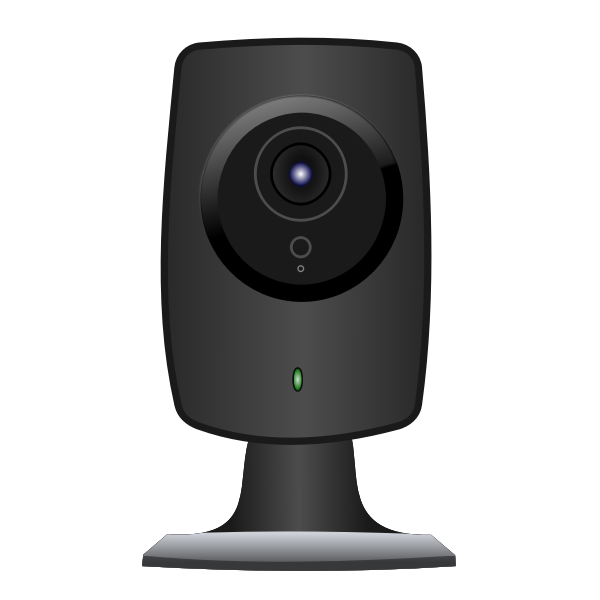
The Modern Standard
Internet Protocol cameras transmit footage over your network, offering remote viewing from anywhere in the world. Most modern systems use IP cameras because they’re flexible, scalable, and integrate seamlessly with smart home technology.
Wireless Cameras

The Installation Dream
No drilling through walls or running cables, wireless cameras connect via Wi-Fi and are perfect for renters or quick installations. The trade-off? You’ll need to ensure strong Wi-Fi coverage and may need to recharge or replace batteries.
How CCTV Systems Actually Work
Think of a CCTV system like your home’s nervous system: Cameras are the eyes, cables or Wi-Fi are the nerves, the DVR/NVR is the brain, and monitors are how you consciously observe what’s happening.
Here’s the flow:
- Cameras capture video using image sensors (similar to your smartphone camera but optimized for security)
- Footage travels through cables (coaxial or Ethernet) or wirelessly to a recording device
- DVR or NVR stores the footage on hard drives (some systems keep 30 days, others 90+ days)
- You view footage live or recorded through monitors, computers, tablets, or smartphones
- Smart features analyze the video for motion, faces, or specific events
Modern systems add layers of intelligence; motion detection that distinguishes between a person and a swaying tree branch, facial recognition that alerts you when unknown individuals appear, and cloud backup that ensures footage survives even if someone destroys the physical recorder.
Key Features That Separate Good Systems from Great Ones
When shopping for what is CCTV equipment, these specifications matter:
Resolution:
- 720p (1MP) = Bare minimum, difficult to identify faces
- 1080p (2MP) = Standard quality, good for most applications
- 4MP-8MP = Crystal clear, can zoom in and maintain detail
- 4K (8MP+) = Professional-grade, captures license plates from a distance
Night Vision: Look for infrared (IR) LEDs that illuminate up to 100+ feet in complete darkness. Color night vision technology is now available, but costs more.
Weather Resistance: Outdoor cameras need an IP66 rating or higher (dust-tight and protected against powerful water jets).
Storage Options: Local storage (DVR/NVR), cloud storage, or hybrid systems that use both for redundancy.
Smart Alerts: Modern systems can text or email you when they detect motion, recognize faces, or hear unusual sounds like glass breaking.
Vidan AI: The Future of Intelligent Surveillance
Traditional CCTV systems record everything and hope you’ll notice when something goes wrong. Vidan AI flips this model completely, bringing artificial intelligence to security monitoring.
What Makes Vidan AI Different?
Vidan AI doesn’t just record; it understands. Using advanced machine learning algorithms, the platform analyzes video feeds in real-time, identifying patterns, anomalies, and potential security threats before they escalate.
Real-World Applications:
Retail Environments: Vidan AI detects shoplifting behaviors, tracks customer flow patterns, and identifies when checkout lines are too long, alerting managers to open additional registers.
Industrial Sites: Vidan monitors for safety violations like missing hard hats, unauthorized access to restricted areas, or equipment malfunctions before accidents occur.
Traffic Management: Vidan AI can analyze vehicle patterns, detect accidents immediately, and even predict congestion before it happens.
The Intelligence Factor
What used to require security guards watching dozens of monitors 24/7 now happens automatically. Vidan AI learns what’s normal for your environment and alerts you only to genuine anomalies. It’s like having a security expert who never blinks, never gets distracted, and gets smarter every day.
The platform integrates with existing camera infrastructure, meaning you don’t need to replace your entire system; just upgrade the intelligence behind it.
Common CCTV Myths (Debunked)
Myth #1: “CCTV cameras can see through walls.”
Reality: No camera can see through solid walls. Thermal cameras detect heat signatures through thin materials, but standard CCTV needs a clear line of sight.
Myth #2: “More cameras automatically mean better security.”
Reality: Strategic placement of fewer quality cameras beats dozens of poorly positioned ones. Coverage, not quantity, matters.
Myth #3: “CCTV footage holds up in court automatically.”
Reality: Footage must be clear, properly time-stamped, and maintained through proper chain of custody. Poor quality footage often gets dismissed as evidence.
The Cost Question: What Should You Actually Budget?
Basic Home System (2-4 cameras, local recording): $200-$600 for DIY equipment + $0-$400 for professional installation
Mid-Range System (4-8 cameras, cloud storage, smart features): $600-$1,500 for equipment + $400-$1,000 for installation + $5-$20 monthly for cloud storage
Advanced Commercial System (8+ cameras, AI analytics, redundant storage): $2,000-$10,000+ for equipment + $1,000-$5,000 for installation + $30-$200 monthly for advanced features
Remember: Cheaper upfront costs often mean higher long-term expenses. A quality system lasts 5-10 years with proper maintenance, while budget equipment may need replacement every 2-3 years.
Security Is More Than Just Cameras
Understanding what CCTV technology is is just the beginning. The real value comes from choosing the right system for your specific needs, installing it strategically, and maintaining it properly. Whether you opt for a basic small closed circuit camera setup or a comprehensive AI-powered system like Vidan AI, the goal remains the same: protecting what matters most to you.
Ready to take control of your security? Don’t wait until after an incident to wish you’d installed cameras sooner. Assess your vulnerabilities, set a realistic budget, and invest in a system that gives you genuine peace of mind. Your property, your people, and your peace of mind are worth protecting today; not someday.