
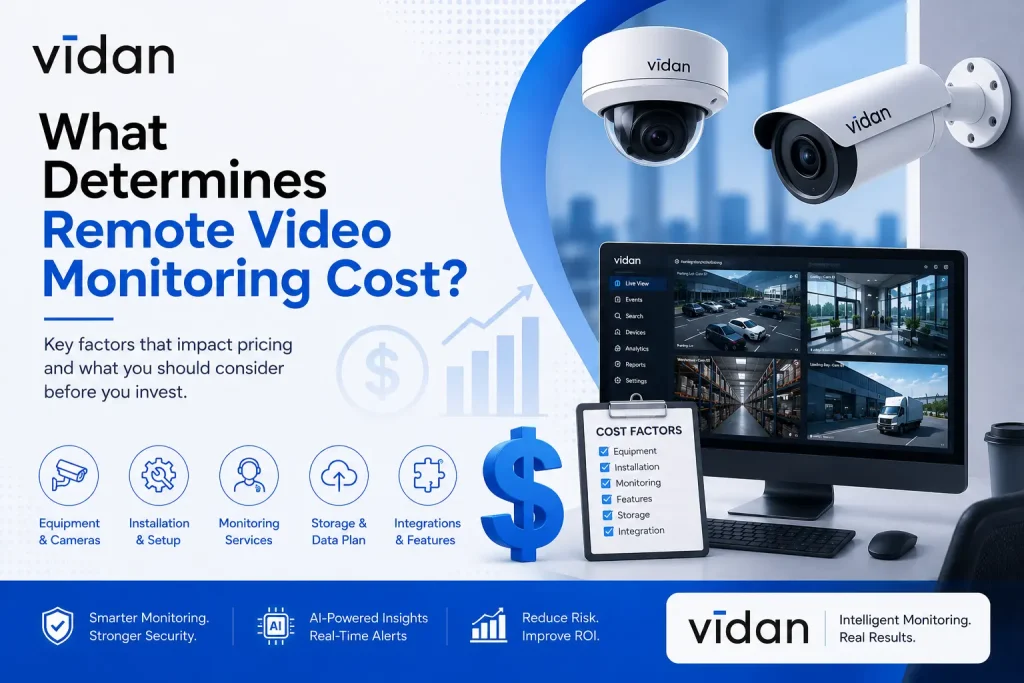
Remote video monitoring cost depends on camera count, site complexity, monitoring service tier, software licensing, bandwidth, storage, and how much AI analytics reduces manual review.
Most businesses pay between a few hundred dollars per month for a small single-site setup and several thousand dollars monthly for multi-site enterprise deployments with live monitoring and AI analytics included.
Key Takeaways
- Remote video monitoring cost is shaped by hardware, software, monitoring tier, and site complexity, not camera count alone.
- Implementation costs usually include installation labor, network setup, and integration with existing security infrastructure.
- AI-powered analytics can lower long-term video monitoring cost by cutting the need for constant human review.
- Multi-site businesses often see better per-camera pricing than single-site operations.
- Vidan AI structures pricing around outcomes like faster response times, not just camera quantity.
Why Remote Video Monitoring Cost Varies So Much Between Businesses
Two businesses with the same number of cameras can pay wildly different amounts. A ten-camera retail store and a ten-camera warehouse rarely land on the same invoice.
The gap comes from four layers stacking on top of each other.
Layer One: Hardware
Camera quality, lens type, and weatherproofing all shift price. A basic indoor dome camera costs far less than a thermal imaging unit built for perimeter detection in low light.
Layer Two: Network And Storage
Higher resolution footage eats more bandwidth and more cloud storage. A site with 4K cameras running 24 hours a day will need a bigger storage budget than a site using motion-triggered recording.
Layer Three: Monitoring Service
This is where the biggest swings happen. Live human monitoring, where a person actively watches feeds and responds to alerts, costs more than software-only monitoring. AI-assisted monitoring sits in between, since it filters out false alarms before a human ever gets involved.
Layer Four: Site Complexity
A single entrance retail shop is simple. A logistics yard with multiple gates, loading docks, and perimeter fencing needs more cameras, more integration points, and more configuration time.
Add these layers together, and the same camera count produces very different bills.
Breaking Down the Real Line Items Behind Implementation Costs
Most quotes group everything into one number. That number hides what you are actually paying for.
Here is what typically sits inside implementation costs.
- Camera and sensor hardware, including mounts and housings.
- Cabling and network infrastructure, or wireless setup where cabling is not feasible.
- Installation labor, which varies by site size and accessibility.
- Software licensing for the video management platform.
- Integration work if the system needs to connect with existing access control or alarm systems.
- Staff training so onsite teams know how to use dashboards and alerts.
- Initial configuration of AI analytics rules, such as restricted zones or loitering thresholds.
Businesses that skip integration planning often pay for it later. A camera system that cannot talk to an access control platform creates blind spots at exactly the moments security matters most. This is one reason Centralized and Decentralized Access Control in the Age of Zero Trust Security has become a bigger conversation among facility managers planning new deployments.
Monitoring Tiers and What Each One Actually Costs
Not all monitoring is priced the same way. Choosing the wrong tier is where most businesses overspend or underprotect.
- Unmonitored Recording: Cameras record footage for later review. No live response. This is the cheapest option but offers no real-time protection.
- Live Human Monitoring: A trained operator watches live feeds and calls police or dispatches guards when something happens. This tier carries the highest recurring video monitoring cost because it requires staffed monitoring centers around the clock.
- AI-Assisted Monitoring: Software flags real threats and filters out irrelevant motion, like a plastic bag blowing across a parking lot. Human operators only step in when the AI confirms something worth acting on. This model usually costs less than pure live monitoring while catching more real incidents.
- Hybrid Monitoring: Some sites use AI during low activity hours and live monitoring during peak risk windows. This blended approach often gives the best balance between cost and coverage.
The tier a business picks affects pricing more than almost any other factor on this list.
A Simple Framework for Estimating Your Own Costs
Here is a practical way to think through pricing before requesting a quote.
- Count your cameras and note resolution needs per zone. Entrances usually need higher resolution than open storage areas.
- Decide your monitoring tier based on risk level. High-value assets or high-traffic entry points usually justify live or AI-assisted monitoring.
- Estimate bandwidth and storage needs based on how long footage must be retained. Compliance requirements in some industries mandate 30, 60, or 90-day retention.
- Factor in integration. If cameras need to connect with access control, alarms, or building management systems, budget extra implementation time.
- Ask vendors for a breakdown, not just a total. A vendor who cannot separate hardware, software, and monitoring costs is not giving you a real quote.
Running through these five steps before a sales call puts a business in a much stronger negotiating position.
Remote Video Monitoring vs Security Guards: Which Costs Less?
| Cost Factor | Security Guards | Remote Video Monitoring |
| Coverage hours | Priced per shift, 24-hour coverage needs three shifts | Flat monthly rate covers unlimited hours |
| Recurring wage costs | Hourly pay, overtime, holiday pay, sick leave | No wages, only software and monitoring fees |
| Scaling to multiple sites | Cost multiplies per site, per shift | One monitoring center can cover many sites at once |
| Response speed | Depends on guard attentiveness and location | AI flags incidents in seconds, before human review |
| Turnover and training | Ongoing cost as staff leave and get replaced | No turnover cost once the system is installed |
| Physical intervention | Can act directly and check identification in person | Cannot physically intervene, relies on dispatch or alarms |
| Visible deterrence | Strong; a person on site is an obvious presence | Present but less immediate than a visible guard |
| Best fit | High foot traffic events, sites needing in-person checks | Standard commercial properties, multi-site operations |
What the Numbers Usually Show
For most standard commercial properties, remote video monitoring cost comes in well below the cost of full-time guard coverage. A camera system does not require shift coverage, overtime, or replacement staffing.
AI-assisted monitoring adds to that gap. One monitoring center can watch dozens of properties at once, while a guard can only watch the property in front of them.
Where Guards Still Make Sense
Security guards remain useful where a physical presence changes outcomes. Large events, high-traffic retail during peak hours, and sites needing in-person identification checks often justify the added cost.
The Model Most Businesses Land On
Many businesses end up combining both instead of choosing one. Cameras handle constant coverage and instant detection. A guard or rapid response team gets dispatched only when the system confirms something worth acting on.
This hybrid approach usually costs less than guards alone while covering more ground than cameras alone, giving businesses the deterrence of a physical presence without paying for round-the-clock staffing on every site.
Vidan AI’s Approach to Pricing Remote Video Monitoring
Vidan AI builds pricing around what a business actually needs protected, not around a flat per-camera rate. Every site gets evaluated for risk level, traffic patterns, and existing infrastructure before a number gets attached to it.
Here is what that looks like in practice.
Vidan AI’s platform layers AI analytics on top of live monitoring options, which means clients are not paying full live monitoring rates for every camera around the clock. The AI handles routine motion filtering. Human attention gets reserved for confirmed events.
Vidan AI also structures contracts so clients can scale monitoring tiers up or down by season or project phase, rather than locking into a single pricing model for years. A retail client might need heavier monitoring during the holiday season and lighter coverage in slower months. That flexibility keeps long-term remote video monitoring cost aligned with actual risk instead of a static contract number.
How AI Analytics Actually Lowers Long-Term Costs
Businesses often assume AI adds cost. In most deployments, it does the opposite over time.
Here is the mechanism behind that.
Traditional live monitoring pays a human to watch feeds continuously, even during hours when nothing happens. AI analytics removes that dead time by only escalating confirmed events, such as a person entering a restricted zone after hours or a vehicle idling near a loading dock for an unusual length of time.
Fewer false alarms mean fewer billable response hours. Fewer billable response hours mean lower monthly costs, even as the system catches more real incidents than a human alone could reliably spot across dozens of camera feeds.
Read More: How Artificial Intelligence Security Systems Improve Security Response Times
Hidden Costs Businesses Often Miss
A few line items rarely show up on the initial quote but appear later.
- Firmware updates and camera maintenance over the system’s lifespan.
- Bandwidth upgrades if camera count grows faster than the original network plan.
- Additional storage fees if retention requirements change due to new compliance rules.
- Retraining costs if staff turnover affects who manages the monitoring dashboard.
- Integration fees if a business adds new access control or alarm systems later.
Asking a vendor directly about these five items before signing a contract prevents budget surprises six months into deployment.
Comparing Cost Models Side by Side
| Cost Factor | Lower Cost Approach | Higher Cost Approach |
| Monitoring Tier | AI-assisted with human escalation | Full-time live human monitoring |
| Camera Resolution | Standard HD for low-risk zones | 4K or thermal for all zones |
| Storage Retention | 30-day cloud retention | 90-plus day retention with backup |
| Site Count | Single site deployment | Multi-site with centralized management |
| Integration | Standalone camera system | Full integration with access control |
This comparison is not about picking the cheapest option across every row. It is about matching each choice to actual risk at each site.
Why Getting the Pricing Model Right Pays Off Long Term
The right pricing model does more than control monthly costs. It helps you invest in the level of protection your business actually needs.
Avoid Paying for the Wrong Level of Coverage
A security system priced correctly from day one prevents two costly mistakes. The first is paying for monitoring features a low-risk site does not need. The second is cutting costs on a high-risk location that requires stronger protection. Matching coverage to your risk profile keeps spending under control without creating security gaps.
Security Should Deliver Business Value
Businesses that view security as a strategic investment often see stronger long-term returns. Remote Video Monitoring ROI: How Vidan AI Transforms Security Into a Strategic Asset explains how the right monitoring model can reduce theft, vandalism, and operational losses enough to offset monthly monitoring costs. Instead of becoming a fixed expense, security becomes a measurable business asset.
The Industry Is Moving Toward Smarter Pricing
The market reflects this shift. The global video surveillance market is projected to reach USD 261.65 billion by 2034, growing at a 13.5% CAGR, driven by increased adoption of AI-powered video analytics across commercial and industrial sectors. This growth shows that businesses are moving beyond flat rate monitoring in favor of flexible, usage-based pricing models that better match operational needs.
A Quick Way to Calculate Your Break-Even Point
Most businesses never calculate whether their monitoring system is actually paying for itself. This simple method makes it easy.
Start with your total monthly video monitoring cost, including hardware amortization, software, and monitoring fees.
Next, estimate monthly losses the system prevents. This includes theft, vandalism, liability claims, and reduced insurance premiums many providers offer for monitored sites.
Subtract the monitoring cost from the prevented losses. A positive number means the system is already paying for itself. A negative number signals it may be time to adjust coverage or switch monitoring tiers.
Running this calculation once a year keeps security spend tied to actual value instead of becoming a line item nobody questions.
Final Thoughts
Remote video monitoring cost comes down to hardware choices, monitoring tier, site complexity, and how much AI analytics reduces the need for constant human attention. Businesses that understand these layers can negotiate smarter contracts and avoid paying for coverage they do not need.
If your current security spend feels disconnected from your actual risk, that is worth fixing before your next contract renewal. Talk to Vidan AI engineers about a site assessment and get a pricing breakdown built around your facility, not a generic camera count formula.